Loading...
Onboarding guidesUpdated 10/13/2026
Add your first property
This is for any host ready to get a property into Haven, whether you are starting from a property management system you already use or building from scratch. By the end you will have a property in your dashboard, ready to edit. This is the foundation for everything else, so it is worth getting right.
There are two ways to add a property. Pick based on what you already have:
- You already use a PMS? Import it. Your photos, pricing, and details come over automatically.
- You don't use a PMS? Build it manually in a short wizard.
You can always edit everything afterward, so neither path locks you in.
Already have a website? Paste it first
Right after How you found us, onboarding asks Do you already have a website? Pick the answer that fits:
- One site for several homes: a brand or collection site. Haven builds a multi-unit site from it.
- A site for one home: the home's own website.
- A site for each home: paste each home's website.
- No website yet, or I'd rather start fresh: you continue to the import step and design your brand later in onboarding.
Paste the link and Haven takes a quick look, then shows the builder, how many homes and pages it found, and the page names. Airbnb, Vrbo and other listing links are not accepted here. You add those on the next step.
Nothing is copied yet. Haven waits until you have connected your PMS or Airbnb (Option A below), then rebuilds the site around those homes. Your pages and custom tabs come over, along with your blog, FAQs, photos, guidebooks and brand, and your old links keep working. Because the brand comes from your site, onboarding skips the Brand and Domain steps and goes on to choosing a plan. You move your domain once you're happy with the rebuilt site.
On the next step, connect your PMS or Airbnb, or paste your Airbnb listing links, so your homes come in with real calendars and rates. If you choose Skip instead, Haven builds your homes from the website itself.
Which home is which?
When you brought listings in, those listings are your homes on Haven. Haven does not build a second copy of a home from your old website. Instead, a Which home is which? screen pairs each home on your old site with the listing it is. Haven fills in the pairs it is sure of (a shared Airbnb link, the same name and town, the same photos), marks the ones it is only guessing, and asks you about the rest. For each home, pick the listing it is, or None of them — leave it behind.
- A home paired with a listing keeps the listing's calendar, rates and details, and takes the words and photos from your old site (you can put any of them back later in the review).
- A listing nothing on your old site matched still joins the site. It is listed under Also on your site, from your bookings.
- A home on your old site that is none of your listings is not brought over.
If your site is still being read or your listings are still landing, the screen fills in as they arrive. Continue, I'll check later keeps your picks so far and lets Haven decide the rest; you can change any pairing from the import's review.
Your listings come in first and the rest of your site follows. When you open the preview, a small Bringing over yoursite.com bar shows the progress. When it finishes, the preview refreshes and the review opens so you can check what came over (see Review What a Website Import Added).
Option A: Import from your PMS
If you manage your properties in a connected system, importing is the fastest route. Hospitable, OwnerRez, Lodgify, Hostfully, and Track connect natively — connect once and your photos, pricing, and property details sync over for you. (On another PMS, connect the Airbnb account it publishes to instead; see Connect via Airbnb when you use another PMS.)
- In onboarding, choose the option to connect your property management system.
- Select Hospitable and authorize the connection when the secure sign-in window appears. This uses Hospitable's own login, so Haven never sees your password.
- Haven imports every listing and turns auto-import on, so properties you add later in your PMS come through without another picker.
- Let the import run. Larger portfolios take longer, since every photo and detail is copied over for each listing.
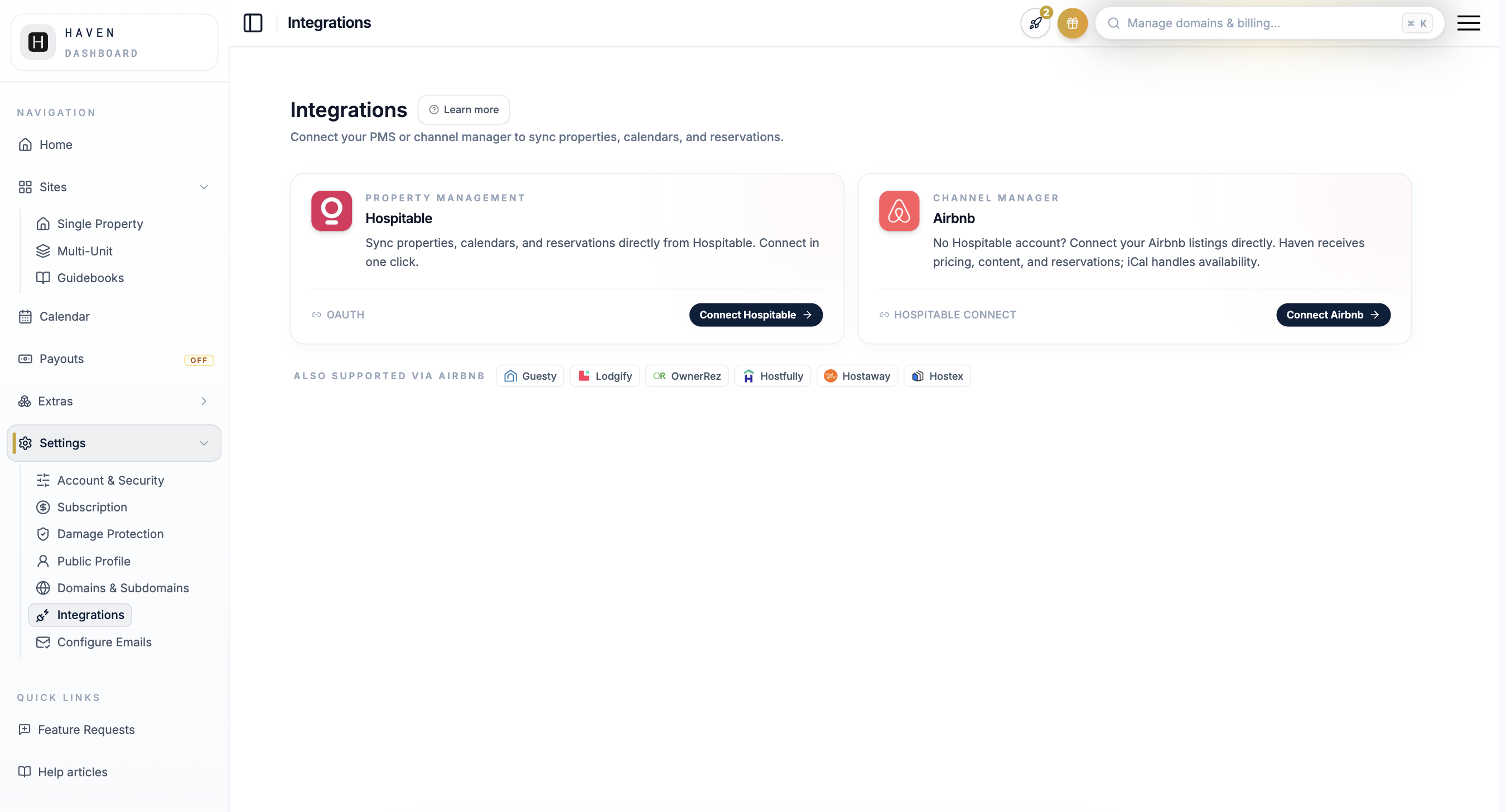
When the import finishes, your properties appear in your dashboard. For more on the connection itself, see connecting Hospitable, and for the bigger picture on integrations, see the PMS integrations overview.
Option B: Build it manually
No PMS, or using one that isn't live yet? Create the property by hand. The wizard keeps it short and asks only for the basics to start.
- Choose to create a listing manually.
- Enter the title of your property.
- Add the address.
- Set a starting price.
- Upload a few photos.
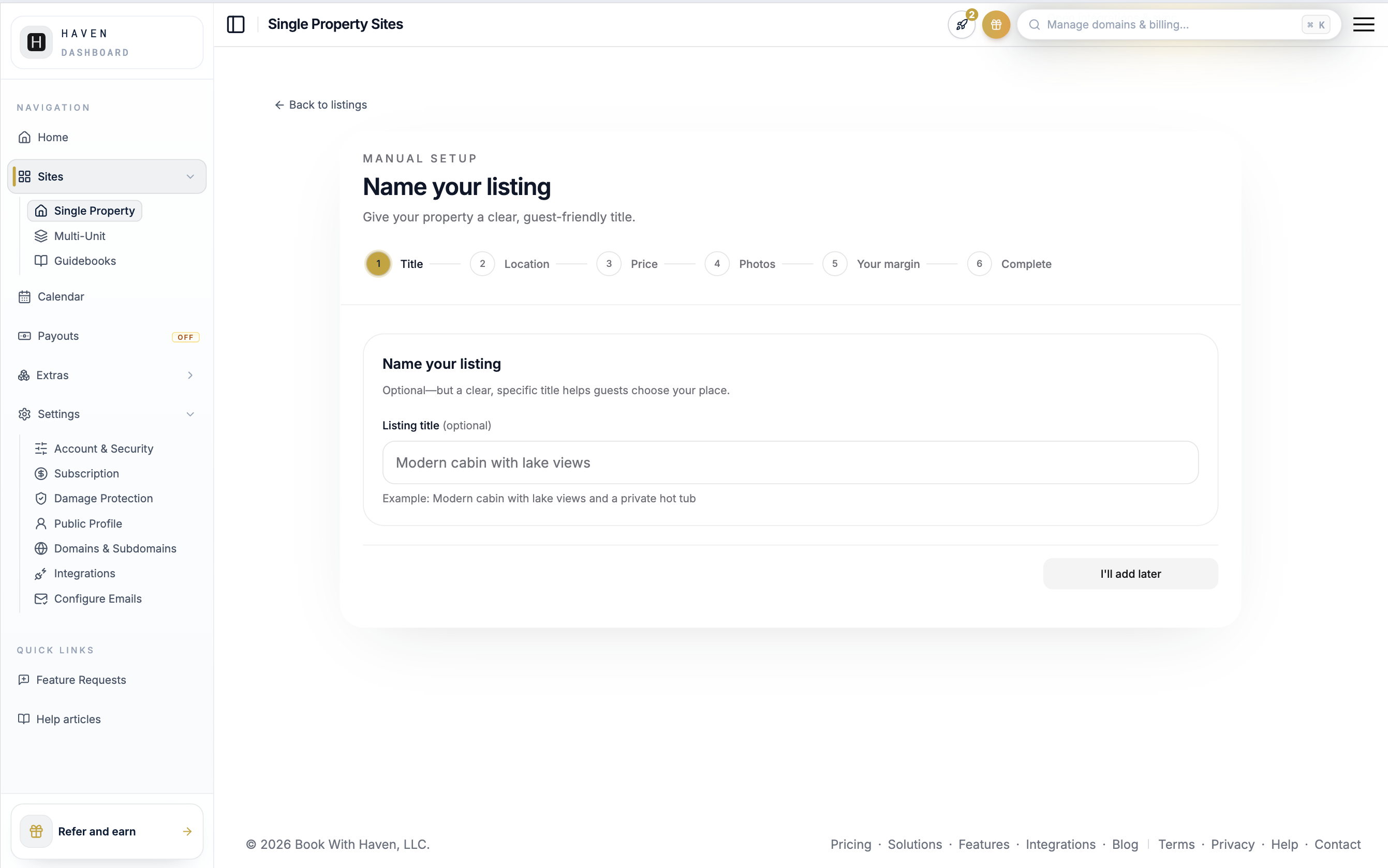
Do not worry about perfecting anything here. The wizard exists to get the property created. You will refine titles, descriptions, and photos in the full editor next. For tips on writing a title and description that read well, see the listing language guide.
What happens next
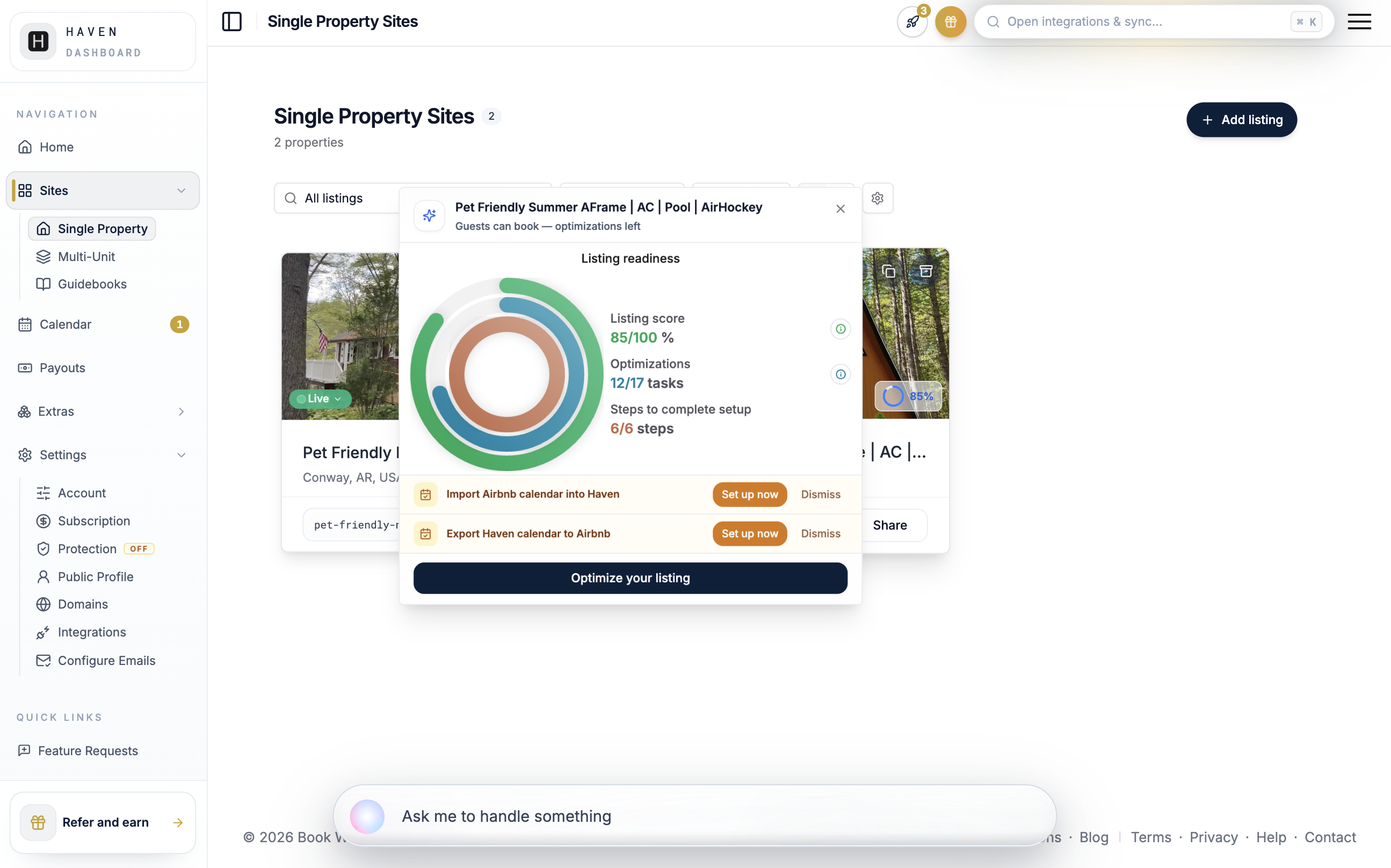
Either path lands you on the property inside your dashboard, where you can open Edit Listing to fill in the rest. Your new property shows up as a card on the Listing sites tab, each with a readiness percentage that tells you how close it is to being bookable.
You're done when…
Your property appears as a card on your Listing sites tab, with a title and at least a few photos, and you can open it in Edit Listing. It will not be bookable yet, and that is expected. The next guides walk you through the rest.
Related articles
Related Articles
New to Haven?
Everything in this guide, done for you
Haven is the direct booking platform these guides are written for — a branded site, secure payments, and guest relationships you own. Build yours free.
Free to build · No credit card · Private until you publish